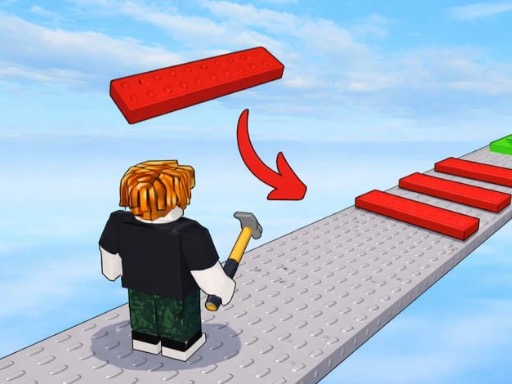
What is Build An Obby?
Build An Obby is a browser-based creative platformer that lets players design, construct, and test their own obstacle courses. The game draws inspiration from the beloved "obby" format popularized by Roblox, giving players the tools to build everything from simple jumping challenges to elaborate multi-level courses filled with hazards. You start with a modest plot and a handful of basic blocks, but as you earn money from playing your own creations, your building options expand dramatically.
The core appeal of Build An Obby lies in its dual nature. You're not just building for the sake of building—you're playing your own games, refining them, and then sharing them with others. This creates a satisfying feedback loop where your role as a designer directly impacts your experience as a player. When your course is too easy, you won't earn as much money. When it's impossibly hard, players will abandon it. Finding that sweet spot becomes genuinely addictive.
Why Build An Obby is So Popular
The game hits a sweet spot that many building games miss. It offers deep enough customization to feel creative without overwhelming newcomers with options. You don't need to watch hours of tutorials before placing your first block. The interface makes sense almost immediately, and you can start having fun within seconds of loading the page. That accessibility is rare in the building genre, where many titles front-load complexity that causes casual players to bounce off.
Another factor driving its popularity is the progression system. Build An Obby doesn't just let you build—it rewards you for building well. Money earned from completing your own obstacle courses can be reinvested into your plot, unlocking new building pieces, hazard types, and additional space. This creates tangible growth that keeps players engaged over time. You're always working toward something, whether that's a new block type or enough space for a larger project.
The History Behind Build An Obby
The obby format has existed in some form for over a decade, primarily through Roblox's user-generated content ecosystem. These obstacle course games became a cultural phenomenon, with certain creators earning substantial incomes from their designs. Build An Obby takes this proven concept and distills it into a focused browser experience that doesn't require downloading proprietary software or creating accounts on external platforms.
The game's developers recognized that not everyone wants the full complexity of Roblox Studio but still craves the creative satisfaction of building obstacle courses. By stripping away multiplayer infrastructure and social features, they created something that loads instantly and runs smoothly on modest hardware. The trade-off is a more solitary experience, but for players who just want to build and play without dealing with community management, this simplification is a feature rather than a limitation.
How to Play Build An Obby
Playing Build An Obby means alternating between two distinct modes: Building Mode and Play Mode. Understanding how these modes interact is fundamental to enjoying the game. Building Mode lets you place, move, and remove objects on your plot. Play Mode transforms your creation into a playable level where you test your design by attempting to complete it yourself. Both modes are essential, and skilled players learn to switch between them constantly, using playtesting to identify weak points and building to implement fixes.
Basic Controls in Build An Obby
- Movement: WASD keys on desktop or the virtual joystick on mobile devices. Movement feels responsive and precise, which matters when you're trying to navigate tight jumps.
- Jump: Spacebar on desktop or the on-screen jump button for mobile. The jump height is fixed, so players must learn the timing through practice.
- Select Objects: Click or tap on building items in the inventory menu. Selected items show a highlight indicating they're ready to place.
- Place Objects: Click or tap on your plot grid to drop the selected item at that location. Objects snap to a grid system, making alignment straightforward.
- Delete Objects: Right-click or use the delete tool to remove previously placed items. This is essential for corrections and redesigns.
How to Get Started with Build An Obby
- Load the game and enter your plot: You'll spawn in your starting area with a small grid of buildable space and a basic set of blocks available.
- Place some platforms: Start with flat platforms spaced at jumpable intervals. Don't worry about variety yet—just establish a path from start to finish.
- Add a finish line: Place the goal marker at the end of your basic path. This defines the objective players must reach.
- Switch to Play Mode: Hit the play button to test your creation. Navigate from start to finish using jumps and movement.
- Return to Building Mode: After completing your course, you'll earn money based on your completion. Use this to purchase new building pieces and expand your plot.
Advanced Techniques for Build An Obby
- Use hazard placement strategically: Lava pools and spike hazards should punish carelessness, not make sections impossible. Place them where players have time to react.
- Create visual landmarks: Color-code your sections so players can orient themselves. This reduces frustration and makes your courses more enjoyable.
- Balance vertical and horizontal design: Ramps and climbing sections add variety to what would otherwise be flat, linear courses.
- Test from different positions: Simulate how a player entering from the beginning would experience your course. Design decisions made while familiar can blind you to problems.
Build An Obby Features
Gameplay Mechanics
Build An Obby delivers a straightforward building experience backed by solid platforming fundamentals. The physics won't surprise you—gravity pulls consistently, jumps travel predictable distances, and collision detection handles the basics well. Where the game shines is in the variety of building pieces available. Standard platforms form the foundation of any course, but walls let you create corridors, ramps enable vertical progression, and hazard items like lava pools add the risk-reward tension that makes obstacle courses exciting.
The money system ties everything together. Every completion of your course in Play Mode generates income based on completion time and overall difficulty. Faster completions earn bonuses, encouraging you to design courses that are challenging but completable. This design constraint actually improves creativity—vague goals produce boring courses, while specific constraints push you toward interesting solutions.
Visual and Audio Design
The graphics use a clean, colorful aesthetic that prioritizes clarity over complexity. Blocks are clearly distinguishable by color and pattern, which matters when you're trying to navigate at speed. The UI is minimal and stays out of the way during play, only becoming prominent when you're actively building. There's no music during gameplay itself, which keeps focus on the action, though simple sound effects provide feedback for jumps, landings, and hazard encounters.
The visual style won't win awards, but it's functional and pleasant. Bright colors make hazards easy to spot, and the grid-based building system means your creations look organized even if you haven't thought through the design carefully. This forgiving aesthetic lowers the barrier to sharing—your course doesn't need to be beautiful to be fun.
Progression System
Money earned in Play Mode funds your building expansion. New plots cost increasing amounts, creating a natural gating mechanism that prevents you from being overwhelmed by unlimited space before you've mastered smaller scales. Building pieces are also purchased, with more interesting options like hazard items costing significantly more than basic platforms.
This progression feels meaningful because each upgrade genuinely changes what's possible. Expanding your plot lets you build longer courses. New hazard types add challenge variety. Special blocks enable platforming that basic pieces can't support. The progression never feels mandatory—you can absolutely enjoy the game with a small plot and basic pieces—but it provides direction for players who want goals beyond pure creativity.
Tips and Tricks for Build An Obby
Beginner Tips
- Keep early courses simple: Focus on getting the build-play-earn cycle working before adding complexity. A basic course that completes reliably teaches you more than an ambitious design that never gets finished.
- Test constantly: Don't wait until your course is "done" to play it. Testing as you build catches problems early and saves you from removing work you've already completed.
- Watch completion times: If players (including yourself) are taking much longer than expected, the difficulty curve is probably too steep in one section. Add checkpoints or simplify tough parts.
- Use consistent scaling: If your first jump is easy, don't jump to extreme difficulty immediately. Gradual progression keeps players engaged rather than frustrated.
Advanced Strategies
- Design for replayability: Courses that can be completed quickly earn money faster. Consider adding multiple paths that skilled players can use for speedruns.
- Create themed sections: Grouping obstacles by type or color helps players learn your course's logic faster than random arrangement.
- Study what works in other obbies: Play courses created by other builders (if the platform supports this) to see what designs feel satisfying versus frustrating.
- Balance risk and reward: The most memorable sections usually offer a choice between a safe path and a risky shortcut.设计 such decisions carefully.
Why You Should Play Build An Obby
Build An Obby fills a specific niche that larger games often ignore. If you've ever wanted to create obstacle courses but found the tools too complex or the commitment too high, this game offers a middle ground. You get genuine creative tools without the overhead of a full development environment. The browser-based format means you can build during short breaks, and the save system means nothing is lost between sessions.
What I find most compelling about the game is its self-contained feedback loop. Unlike creative games where you build things that only you ever experience, Build An Obby gives you both the builder and player perspectives. You design the challenge, then you face it. This direct connection between design and experience creates a unique satisfaction—you're not just playing someone else's vision, you're experiencing the results of your own creative decisions immediately.
Perfect for All Skill Levels
The game accommodates players who want vastly different experiences. Casual builders can make simple courses and enjoy the meditative loop of build-test-improve. Ambitious creators can push the tools as far as they go, designing elaborate multi-stage adventures that take minutes to complete. Neither group is wrong, and the game doesn't pressure you toward either extreme.
For younger players or those new to building games, the simple controls and clear objectives provide an accessible entry point. For experienced creators, the limitation of a single plot and set of building tools becomes a creative constraint that forces interesting solutions rather than endless expansion.
Free to Play in Your Browser
No downloads, no installations, no accounts required. Build An Obby runs directly in your browser, making it one of the most accessible building games available. Whether you're on a school computer, a work laptop, or your personal desktop, you can load and play within seconds. The lack of friction means you're more likely to actually play when the urge strikes, rather than giving up because the setup process killed your momentum.
Frequently Asked Questions About Build An Obby
Is Build An Obby free to play?
Yes, the game is completely free to play with no premium tier or purchase requirements. All core building features are available from the start, and money earned through gameplay unlocks additional content.
Can I play Build An Obby on mobile devices?
The game supports touch controls on mobile devices, including a virtual joystick and on-screen buttons for jumping and building actions. Performance may vary depending on your device, but the core experience translates well to smaller screens.
Do I need to download anything to play Build An Obby?
No downloads are required. Build An Obby runs entirely in your web browser using standard web technologies, making it accessible on any device with a modern browser installed.
Is Build An Obby suitable for all ages?
The game is appropriate for most ages. The platforming is simple enough for children to understand, while the creative building elements appeal to older players. Hazard elements like lava are depicted mildly without graphic content.
How can I improve at Build An Obby quickly?
Play through your own courses repeatedly, focusing on where you struggle most. Those friction points reveal what other players will likely struggle with too. Iterate on those sections until they feel challenging but fair, then move on to identifying the next area for improvement.