 Arcade
 Racing
 Driving
What Doodle Car Race Is All About
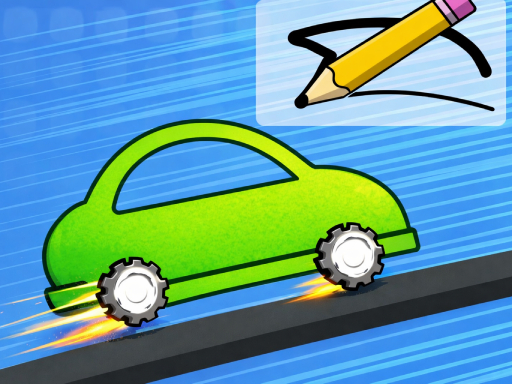
Okay, so picture this: instead of picking a car from some boring list, you actually draw your own. That's the whole premise behind Doodle Car Race. You sketch a vehicle using your mouse or finger, hit a button, and your 2D doodle becomes a 3D racing machine that zooms onto the track.
The real hook here is that whatever shape you create determines how it handles. Physics takes over and your creation either glides smoothly or flops embarrassingly on the first turn. I've spent way too long tinkering with designs, trying to figure out why my "awesome" sketch immediately flipped on a sharp corner. The connection between what you draw and what actually happens is weirdly satisfying.
What keeps me coming back is the randomness of it all. You never know what your opponents dreamed up until the race starts. Someone always has wheels the size of dinner plates, and someone else went for some stretched-out nightmare machine. That unpredictability makes every race feel fresh, even after you've played dozens of times.
How to Play Doodle Car Race
Controls
The control scheme strips away everything you don't need:
- Click and drag / Touch and drag: Draw your car on the canvas
- Release: Finalize your drawing and your vehicle spawns
- Spacebar / Tap center button: Start the race when the countdown appears
- Arrow keys / Touch sides: Steer left and right during the race
That's genuinely it. No complicated button combos, no hidden menus with settings buried three layers deep.
The Basic Loop
Here's what happens every time you play:
- You land on a blank canvas with nothing but your imagination
- You sketch any car shape you like using smooth strokes
- The game transforms your 2D drawing into a three-dimensional vehicle
- You get a quick look at your creation before things start
- The countdown hits zero and you're racing
- You cross the finish line and see how your design held up
- You immediately want to try again with improvements
My first dozen cars were disasters, and that's fine. Every design teaches you something about how the physics engine reads your drawings. Draw something too tall? It'll tip over constantly. Put the wheels too close together? Say goodbye to any hope of staying on track through corners.
Getting Started Tips
A few things I wish someone told me when I started:
- Keep designs symmetrical early on—save the weird experiments for later
- Wheels should be relatively large and evenly spaced
- Tall vehicles are trouble; the center of gravity will betray you
- Watch how your car behaves during races and adjust your next sketch based on that feedback
- Simple shapes almost always beat complicated ones
The biggest lesson? Don't overthink it. That impulse to draw some elaborate masterpiece will work against you. The physics engine rewards functional simplicity every single time.
Why It Works
The game manages to hit a sweet spot that I rarely see in browser games. You can take it seriously, obsessing over vehicle proportions and track-specific designs, or you can just draw a ridiculous thing for laughs. Both experiences are equally valid here.
The accessibility is something I appreciate more the longer I play. No downloads, no accounts, no microtransactions. You open a browser tab and you're already playing. You can jump in for five minutes during a coffee break or spend an afternoon iterating on designs. The choice is yours, and nothing gets in the way of just having fun with it.