 Shooter
What is Ships Battlefield 3D?
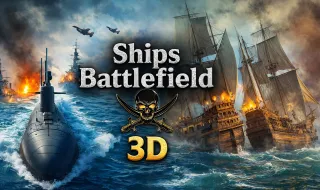
Imagine commanding a fully armed warship in the middle of the open ocean, with enemy vessels closing in from every direction. That's exactly what Ships Battlefield 3D delivers. It's a browser-based naval combat game where you sit at the center of the action, firing cannons at incoming fleets while the ocean waves roll beneath your hull.
The premise is simple but surprisingly addictive. Waves of enemy ships approach from multiple angles, and your job is to sink them all before they overwhelm you. What keeps you coming back is the weapon progression system—destroying enemies earns you access to increasingly powerful artillery, from rapid-fire machine guns to devastating heavy cannons.
The 3D ocean environment caught me off guard. I expected browser game graphics to feel flat and basic, but Ships Battlefield 3D actually has some visual polish. Waves move, light reflects off the water, and explosions splash satisfyingly across the surface. Nothing revolutionary, but enough to make the action feel immersive.
You don't need to download anything or create an account. Point your browser to the game, wait a few seconds for it to load, and you're immediately commanding a warship in the middle of combat. That instant accessibility is part of why this game has built a loyal following among players who want quick action without friction.
How to Play Ships Battlefield 3D
Getting into the action takes seconds, but mastering the combat takes considerably longer. Let me walk you through the essentials.
Understanding the Core Loop
Your warship stays centered on screen while enemies spawn from all directions. You rotate your view to track targets, fire your equipped weapon, and survive as long as possible. Each destroyed ship adds to your score and fills a progress meter. Once that meter fills, you unlock a new weapon.
Early waves introduce basic enemy ships that charge straight at you. Later waves throw faster boats, vessels that circle around you, and heavily armored ships that demand sustained fire to destroy. The variety keeps things interesting—you can't just memorize one strategy and repeat it forever.
Desktop Controls
If you're playing on a computer, you have two aiming options. Drag your mouse across the screen to rotate the camera and aim at targets, or use the WASD keys if you prefer keeping your hands in the center of the keyboard. Holding Shift increases camera rotation speed, which helps when enemies dart across your field of view.
Space bar fires your current weapon. Q and E cycle through your unlocked arsenal. This gives you flexibility to swap between rapid-fire options and heavy artillery depending on what you're facing. I tend to stick with rapid weapons for swarms and switch to heavy cannons for armored targets.
Mobile Controls
Touch controls strip away the complexity for smartphone and tablet play. Drag directly on your screen to aim, and tap a large red button to fire. The mobile scheme works well enough that you won't feel disadvantaged compared to desktop players, though aiming with precision takes a bit more practice.
Getting Started Tips
Start with your default weapon and focus on learning its range, projectile speed, and damage output. Rushing to switch to newly unlocked weapons before understanding them can hurt your survival.
Keep your ship moving. Standing still makes you an easy target for coordinated attacks, and enemies will focus fire on stationary vessels. Even small repositioning movements help you dodge incoming salvos.
Watch all directions. It's tempting to focus entirely on the enemies directly ahead of you, but ships often approach from behind or from the sides. Panning your camera regularly prevents nasty surprises.
Learn to lead your targets. Since projectiles take time to reach their destination, you need to aim slightly ahead of moving ships rather than directly at them. This skill becomes essential with slower, heavier weapons.
Weapon Strategy
Switching weapons mid-fight gives you real tactical advantages. Rapid-fire weapons handle swarms of small boats efficiently—you can keep pressure on multiple targets without wasting heavy ammunition. Heavy weapons excel against armored ships that would soak up too many small-caliber hits.
Pay attention to reload timing. Heavy weapons deal tremendous damage but leave you vulnerable while reloading. Positioning yourself safely during reloads extends your survival significantly.
Find Your Rhythm
Ships Battlefield 3D rewards patience and adaptation. You won't master it in one session, and that's fine. Each weapon teaches you something different about combat spacing, target priority, and timing. The fifteen-minute play session fits naturally into breaks, yet the progression system gives you reasons to keep coming back for more.
If you enjoy naval combat or just want a browser game with actual depth, give it a try. The ocean is waiting.